Safe checkout
Secure payments
Fast dispatch
1–2 day handling
Free shipping
U.S. ground
Warranty & RMA
Support after delivery
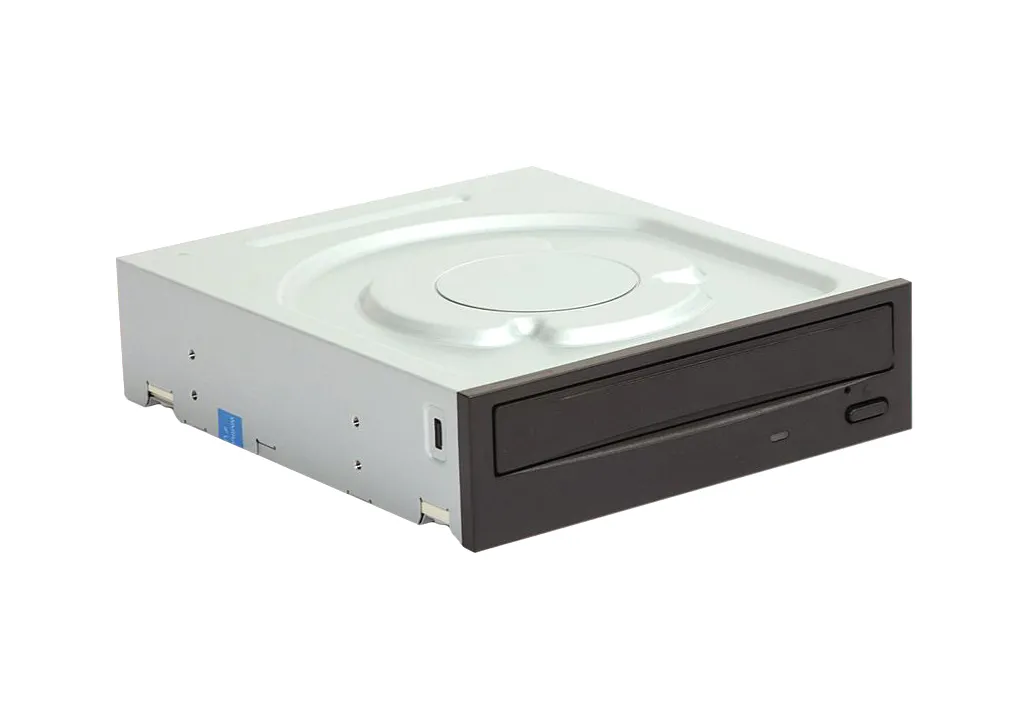
5P668 - Dell Cdrw/Cd-Rom Drive Face Plate (Bezel)
- Genuine Dell Part
- Specifically for Cdrw/Cd-Rom drives
- Replaces damaged or missing drive bezels
- Ensures proper fit and finish for the optical drive bay
- Facilitates access to the drive's eject button and activity LED
- Designed for easy installation and removal
Cdrw/Cd-Rom isn't on our shelf today — we source it to order. Request a quote and we'll confirm price and lead time within one business day.
Key specifications
See full specs ↓- Part Type
- Drive Face Plate (Bezel)
- Compatibility
- Dell Cdrw/Cd-Rom Drive
- Condition
- New/Used (Varies)
Product details
This is a replacement face plate (bezel) for a Dell Cdrw/Cd-Rom drive. It is designed to provide the front aesthetic and functional interface for the optical drive.
Technical Information
| Part Type | Drive Face Plate (Bezel) |
Additional Specifications
| Compatibility | Dell Cdrw/Cd-Rom Drive |
Description
The 5P668 is a genuine Dell replacement part intended for the front faceplate, also known as a bezel, of a Dell Cdrw/Cd-Rom optical drive. This component is crucial for maintaining the aesthetic integrity of your computer's chassis and ensuring the drive's front panel functions correctly. It typically includes the slot for disc insertion, the eject button mechanism, and sometimes an activity LED indicator. Installation of this bezel is generally straightforward, designed to snap or slide into place on the front of the drive mechanism. It covers the raw drive housing, presenting a clean and integrated look within the computer's drive bay. Replacing a damaged or missing bezel can restore the professional appearance of the system and ensure the drive is properly protected and accessible. This specific bezel is identified by Dell part number 5P668 and is tailored for Cdrw/Cd-Rom drive models. While the drive functionality is handled by the internal mechanism, the bezel is the user-facing component that provides the physical interface. It is essential to ensure compatibility with your specific Dell system and optical drive model before purchasing.
Condition: Refurbished
Free U.S. ground shipping
Typically 1–2 days handling, 3–7 days in transit.
Purchase orders accepted
Government, enterprise, data center and small business.
Buying 10+ units?
Get volume pricing and availability for Cdrw/Cd-Rom.